
Gawr Gura Quest for Bread PC and Steam Deck specs
Steam's minimum, the client caveat, and a sound-card joke.
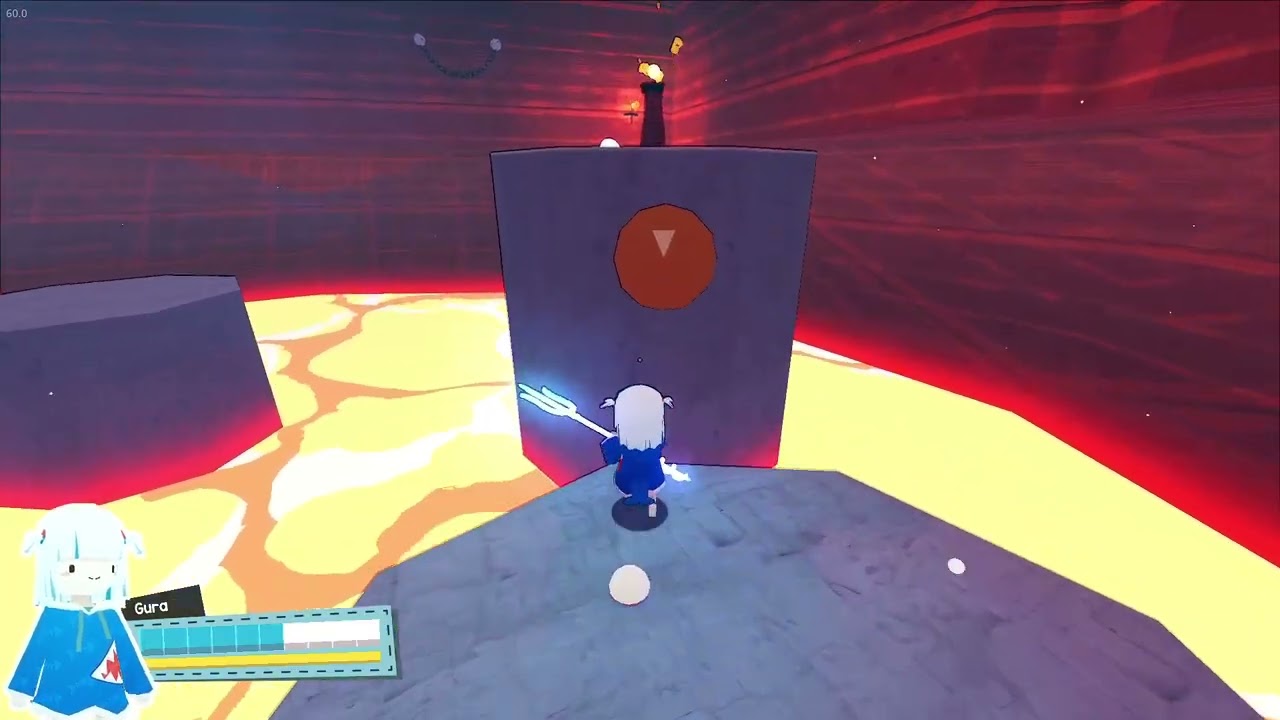
Gawr Gura: Quest for Bread is a stylised 3D action-platformer on Steam as app 2054520. This page is the hardware sheet: official minimum, the sound-card joke, and whether a 2017 MX-class laptop or a Steam Deck will run a two-hour shark campaign. Camera invert and stick dead zones live on the settings helper. First install lives on Getting Started. Jump, spin, and camera live on controls. Launch-week price and store flags live on launch notes.
Official minimum (as listed)
Steam still prints a modest floor for Kenny Park’s campaign, published by holo Indie:
- OS: Windows 7, Windows 8, Windows 10, and Windows 11 as listed strings.
- Processor: Intel Core i3-370M class.
- Memory: 4 GB RAM.
- Graphics: NVIDIA GeForce MX 150.
- Sound: “what is a sound card”
Keep the sound line. It is a joke. You do not need a PCI sound blaster. Stereo output is the real audio flag: laptop speakers, Deck speakers, or a cheap headset that plays two channels.
There is no heavy recommended spec. The art is stylised platforms, orange magma, cyan skull floors, and a named bar for Mori Calliope. You are not buying ray tracing. A friend who demands a 3080 has the wrong genre.
Windows 7 and 8 versus the Steam client
Read the OS row twice. The store still shows Windows 7 / 8 / 10 / 11. Valve’s Steam client dropped Windows 7 and 8 on 1 January 2024. In practice you run Quest for Bread on Windows 10 or 11, because that is what can log into Steam and download app 2054520. Treat 7 and 8 as historical listing language. Treat i3-370M, 4 GB, and MX 150 as the performance floor. Treat Windows 10+ as the client floor.
Windows via Steam only. No Mac listing. No Linux listing. This wiki will not rank unofficial Proton experiments as a platform promise.
The i3-370M is a 2010 dual core; the MX 150 is a 2017 laptop GPU. Steam describes a low floor, not one reference laptop. Old Intel HD is not the GPU line. MX 150 is.
Steam Deck Verified and controllers
Valve marks the game Steam Deck Verified. Full controller support is listed, including Xbox pads. Keyboard and mouse work on desktop; many people still prefer a pad because jump and camera live on different hands. On Deck, start from Valve’s Verified profile. Touch invert or inner dead zone only if the shark walks while idle, and do that on the settings helper, not here. Lock a stable frame rate. A stutter during a spin in lava is a death.
Steam Cloud can share a save between Deck and a Windows desktop if you wait for the sync tick. Family Sharing is listed. Neither feature changes the CPU row.
Session shape
Accessibility notes include save-anytime and a campaign playable without timed button prompts or quick-time events. Stereo sound is listed. That is why an MX 150 laptop is a reasonable first machine: snapshot at a boss door, no QTE race, no 7.1 mix. Single-player only. Bring a friend to watch Calliope’s skulls, not a second pad.
The in-game interface is English only. This wiki is not. Opening the French edition of this page does not unlock a French pause menu. Confirm that on launch notes if you are still waiting for a language pack.
Launch context and current price
Released 27 August 2026 by Kenny Park, published by holo Indie, Steam app 2054520. Launch week ran a 10% introductory discount through 3 September 2026. That window is historical. Check Steam for the current price instead of repeating a launch-week figure.
Store length is roughly two hours of campaign plus silly hats and a dedicated speedrun mode. A drifting stick is still a reset — confirm dead zones on the settings helper before you blame the GPU.
Will an MX-class laptop run it?
If Steam’s minimum is honest, yes: Windows 10, MX 150, 4 GB RAM, and a CPU at or above that i3 class is the printed floor. Close extra browsers, plug in power, and play a story file before you judge Calliope’s arena. Weaker than MX 150? This wiki will not invent a low-preset slider the store does not advertise. Try a Steam Deck or a newer Windows box. Do not buy a desktop GPU for a two-hour hat game.
After the spec check, install from Getting Started, learn the verbs on controls, and keep invert notes on the settings helper. Broader checklists sit on the Tools Hub.
Once OS, RAM, and GPU match the floor, this sheet has done its job. Go install. Come back only if Valve changes the Verified badge or the store reprints the CPU line.
Frequently Asked Questions
Quick answers for first-time shark pilots and 100% hunters.
Does Quest for Bread run on Steam Deck?
Yes. Valve lists it as Steam Deck Verified with full controller support. Start from the Verified profile, then use the settings helper only for invert and dead zones.
Can I run it on an MX-class laptop?
If the laptop meets Steam's floor — Windows 10 or 11, i3-370M class or better, 4 GB RAM, GeForce MX 150 — yes. The MX 150 is the printed GPU line, not a guess.
What languages does the game support?
English interface only. This wiki is translated; the pause menu is not. See launch notes.