
Gawr Gura Quest for Bread Settings that actually matter
Fix the camera before you blame the magma.
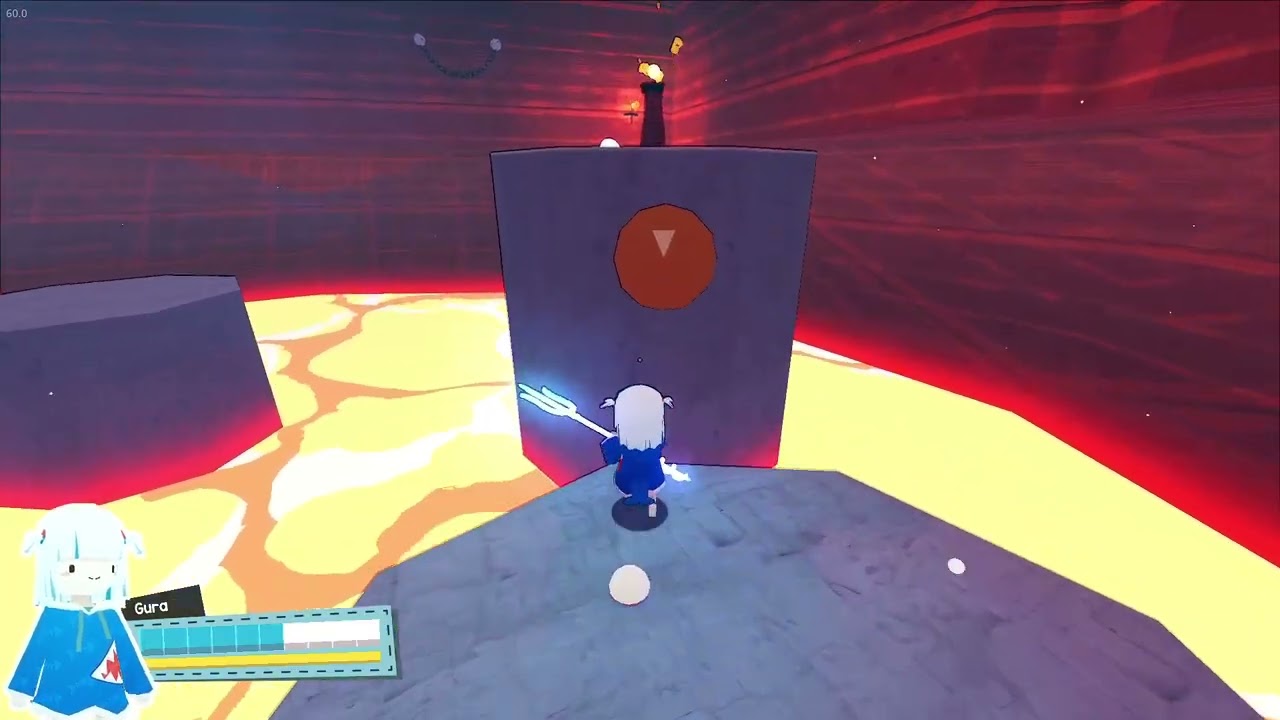
Quest for Bread is a third-person platformer. Most first-hour deaths that look like skill issues are camera issues. This sheet is the five-minute pass you should do after Getting Started and before a named bar such as Mori Calliope.
Camera
Invert Y if your thumbs come from flight sticks or other 3D platformers that already feel inverted. Do not invert mid-spin in lava. Confirm on a wide floor using the drill in How to Play: walk to a painted edge, jump in place, add a spin, then look at the next landing before you leave the rock. If the next grey platform is off-screen, the setting is wrong even if the invert checkbox looks right.
Dead zones and drift
A drifting left stick walks Gura into orange magma without a jump input. Raise inner dead zone until idle does not move the shark. On Steam Deck, start from Valve’s Verified profile, then only tweak. Xbox pads are listed as supported. Keyboard and mouse work; many people still prefer a pad because jump and camera live on different hands.
Brightness and readability
Lava must read as lava. Concert floors must still show cyan skulls. If you crush blacks to look cinematic, Calliope’s packed platforms become a coin flip. Turn brightness up until the named bar and the skull rims are obvious, then stop. Frame-rate debug in the corner of some captures is not a setting you need; lock a stable rate on Deck so a stutter during a spin is not a death.
Audio and language
Combat needs jump landings to be audible. Jokes land better with voices and music up, but never mute the step that tells you you connected a rock. The in-game interface is English only. This wiki is not. You will not find a French pause menu. That is a store fact, not a bug — see launch notes.
Saves, Cloud, Deck
Save-anytime is an accessibility flag on Steam. Use it at boss doors. Steam Cloud shares a file between Deck and desktop if you wait for the tick. Family Sharing is listed. None of that replaces a screenshot of your hat tracker notes. After the sheet is done, go back to the Tools Hub or into the walkthrough with a camera that no longer fights you.
A drifting stick in speedrun mode is a reset, not a route. Confirm this page before you chase 2:41 Demo% habits on a full two-hour file.
Revisit this sheet after any Deck update or after you borrow a different pad. Dead zones are per-device. Invert is per-player. Brightness is per-room: lava wants heat, Calliope wants skull rims. Do not copy a streamer’s settings blindly; copy the checklist. If Gura walks at idle, raise dead zone before you uninstall. If the named bar vanishes, it is camera, not a boss bug. When the sheet is boring, you are ready for speedrun mode or a hat sweep.
When to throw the sheet away
If Gura goes where you point and lava reads as lava, you are done. Do not keep tweaking during a boss. Do not keep tweaking during a timed file. The How to Play verbs matter more than a 2% dead-zone change. Come back only after a hardware swap, a Deck OS update, or a patch note under Updates. Until then, this helper should gather dust. That is a compliment. Settings pages that stay interesting are usually hiding a broken camera.
Close this tools settings tab when the next action is obvious. If the next action is a jump, open How to Play. If it is a hat, open the hat tracker. If it is a named bar, save at the door. If it is a buy button, use Steam app 2054520. The rest of tools settings is context. Do not reread it instead of playing Quest for Bread. Two hours is already short. A wiki that becomes homework has failed the shark.
Frequently Asked Questions
Quick answers for first-time shark pilots and 100% hunters.
Should I invert the camera?
If your thumbs already expect invert, yes. Confirm on a wide floor, not in magma.
Does Deck need extra tweaks?
Start Verified. Change dead zones only if Gura walks while idle.
Is there a language setting?
The game UI is English only. Wiki languages do not change the pause menu.